Atlassian · Design Lead
How we turned fragmented data into something an admin could quickly scan, understand, and act on by combining business vision, data visualization, and product craft.
Context
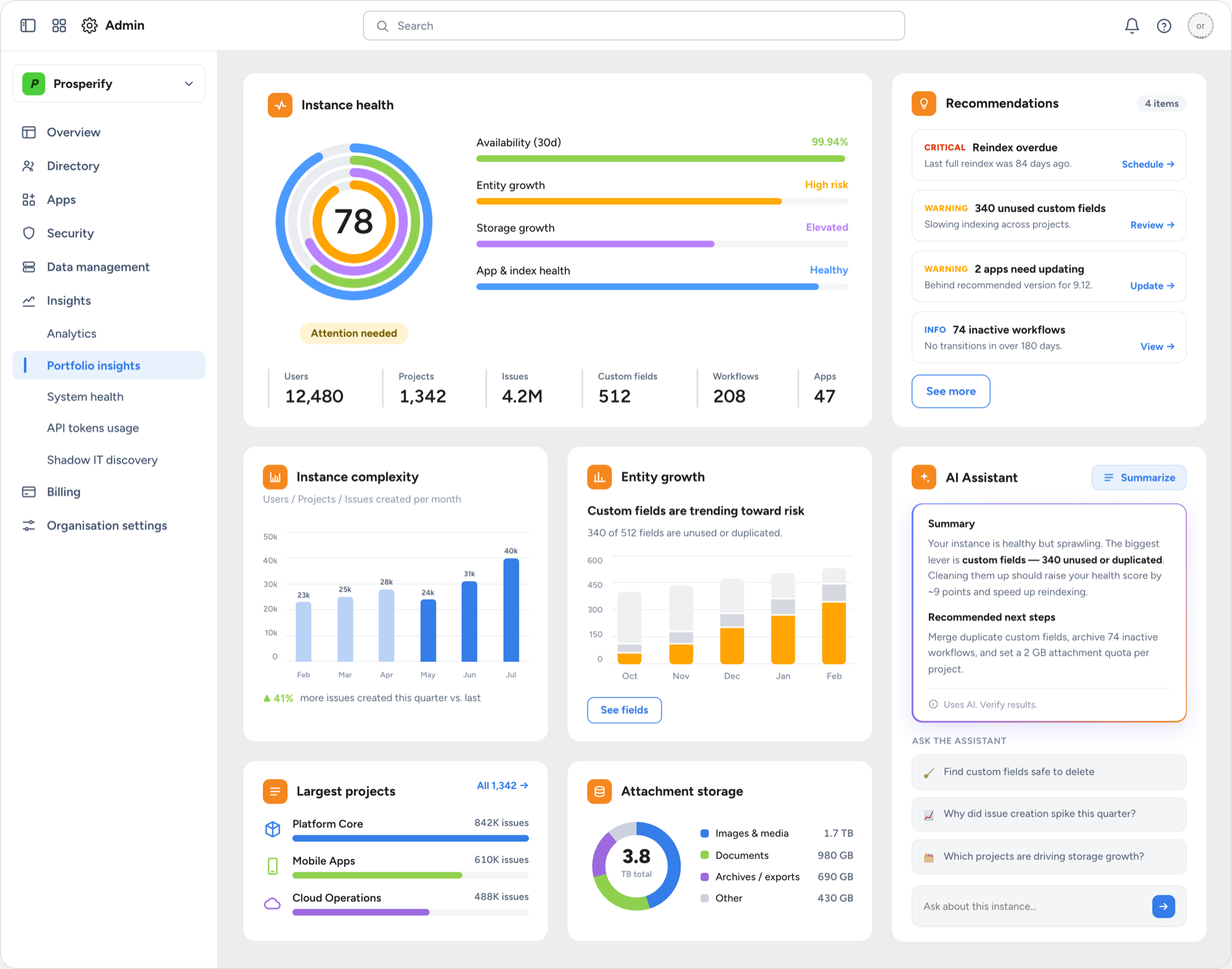
Portfolio Insights is an application designed to help enterprise admins understand their footprint with Atlassian, take action to optimize it, as well as confidently migrate their instances to cloud. By connecting visibility and planning assisted by AI, it drives a key Atlassian business goal — cloud migration — with far more clarity than disconnected data ever could.
Enterprise admins were facing a multi-layered problem, not a single pain point. They needed visibility into what they had, insights to understand it, the ability to act on what they learned, and a clear path to grow with Atlassian — but each of these jobs was scattered across disconnected tools and surfaces.
By bringing scattered data into one comprehensive application, we gave admins actionable insights in one place — with a clear, scannable structure and an AI component doing the heavy lifting. Empowering them to manage, optimize, and plan migrations from a single surface made admins more confident in growing their footprint and going wall-to-wall with Atlassian.
Admins are at the heart of the successful
adoption of Atlassian's System of Work
— Justin Maguire, Head of Design, TAP
Data Visualizations
The data visualizations turn complex, high-volume information into something admins can take in at a glance — giving them the clarity to understand their footprint and reach better decisions, faster.
AI Co-Pilot
An AI assistant sits right alongside the data — ready to summarize what's happening, flag what needs attention, and suggest the next move, so admins always have a knowledgeable second set of eyes.
Intelligent Optimization
AI reads the full picture and points to where it matters — surfacing what's unused, at risk, or ready to move — so admins can optimize their footprint with confidence instead of guesswork.
Migration Planning
Once an instance is optimized, admins move into migration planning — scoping sources, sequencing the work, and mapping a confident path to cloud, all in one place.