Adobe · Senior Designer

Editing For
Everyone

A tablet-first video creation app — shoot raw footage or gather inspiration from the web, cut on a touch timeline, and finish with effects and titles, all on iPad.
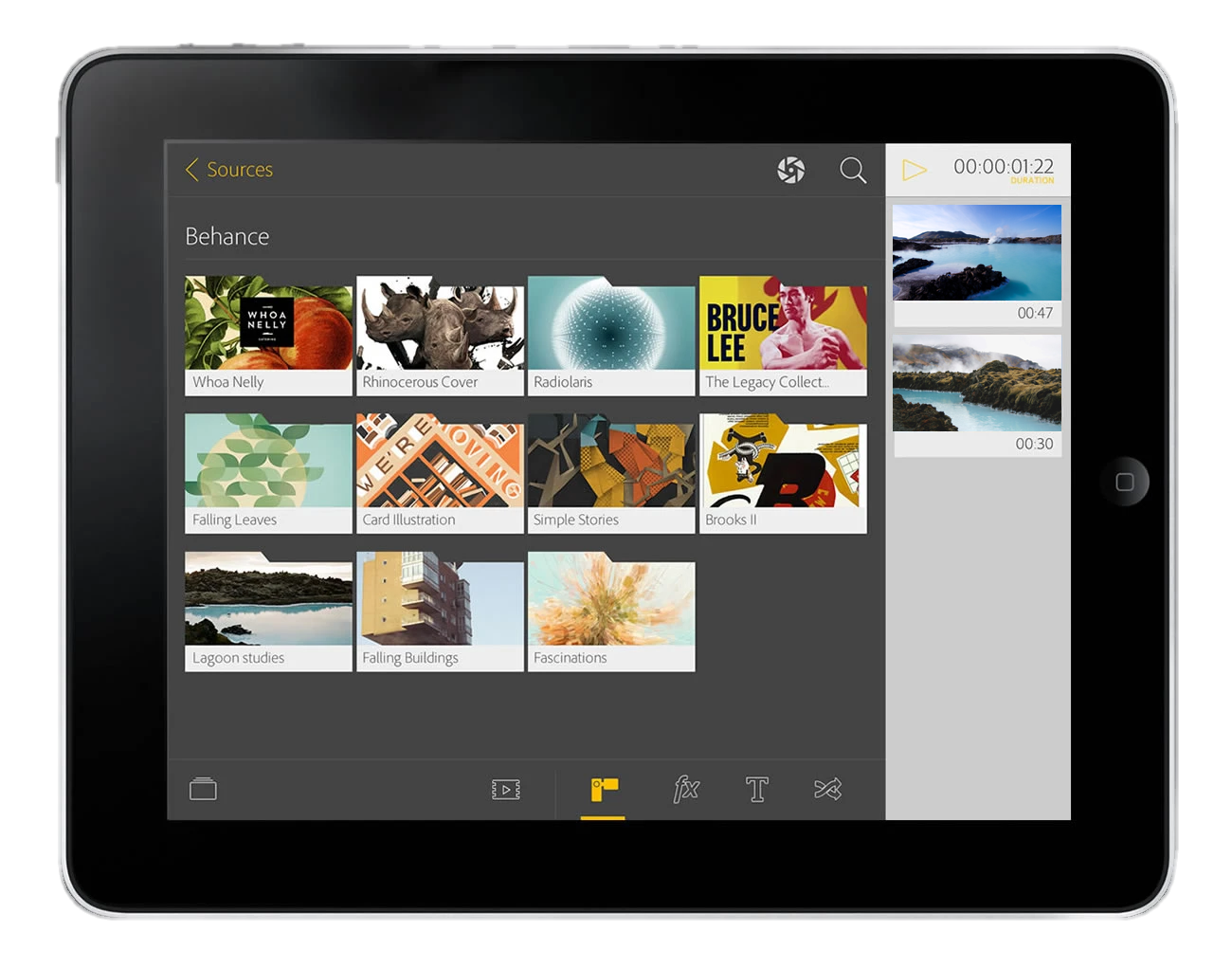
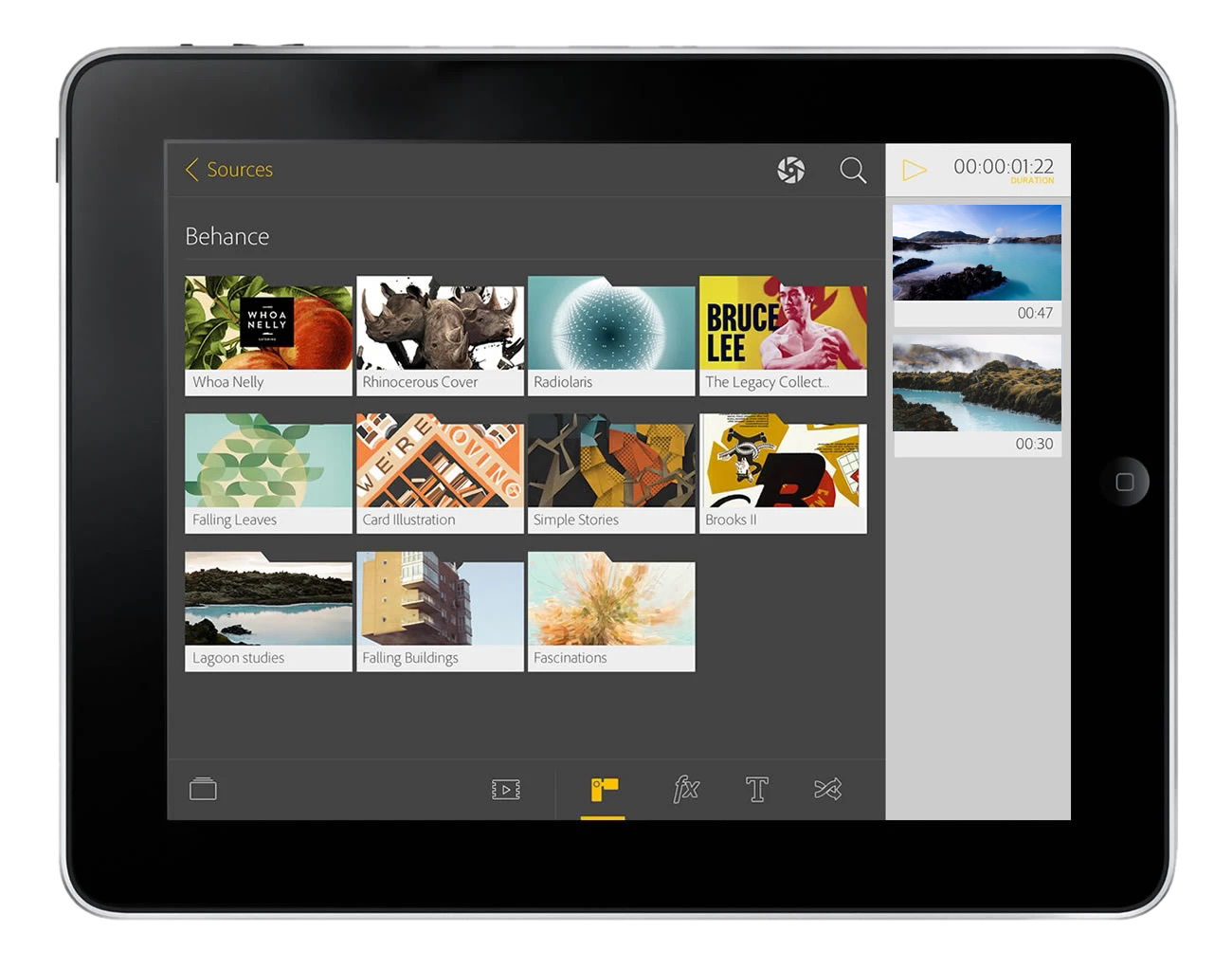
Adobe tablet app — the Sources view browsing Behance projects, with a clip timeline and duration on the right
$400MOpportunity to capture the amateur video enthusiast market
~30-33%Of the total video market
1Simple, elegant tablet app to capture this market
Context

A studio in your hands

Editing video meant being chained to a desktop. This concept reimagined the whole workflow for tablet — a touch-native canvas where anyone could assemble a story from their own clips and the vast library of work on Behance, then export something finished.

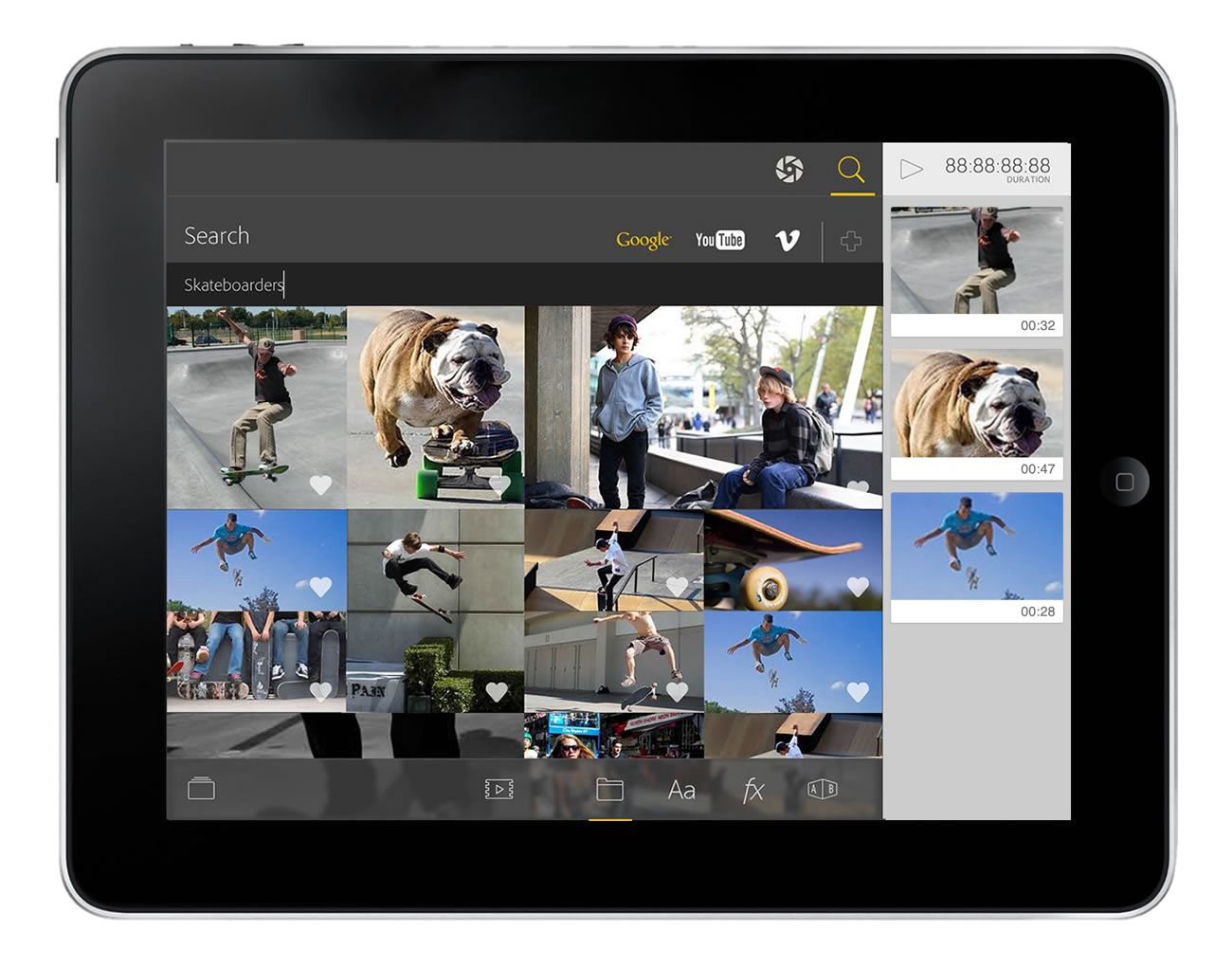
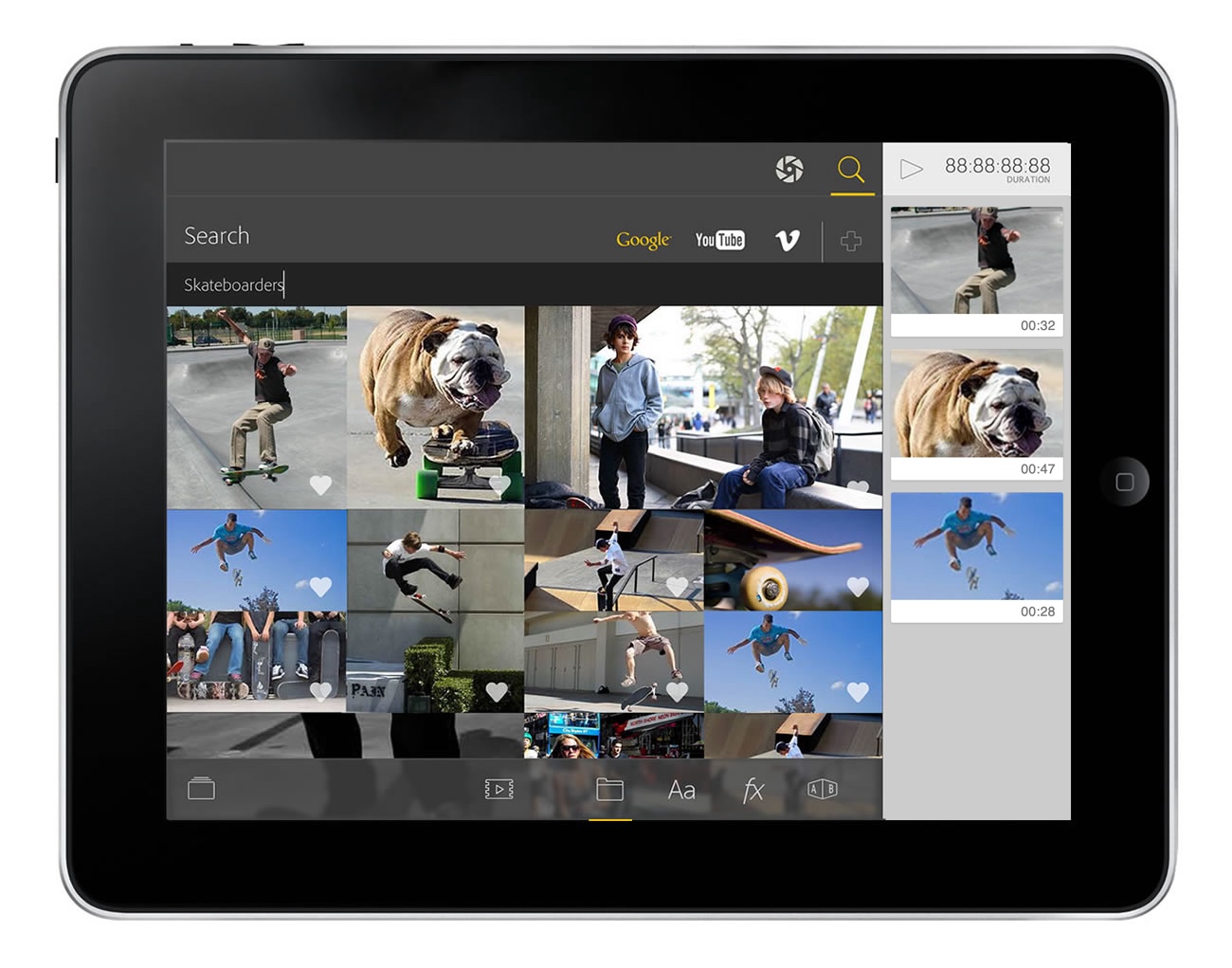
Adobe tablet app — the Search view finding footage across Google, YouTube, and Vimeo (searching 'Skateboarders') to drop straight into the timeline

The Challenge

Professional video tools assumed a mouse, a keyboard, and a big screen. None of that translated to a tablet, where the interactions, the screen budget, and the creator's mindset are completely different.

The Opportunity

A tablet app could meet creators where they already were — capturing and sharing on the go — and turn the iPad into a real place to source, cut, and finish a story, not just review one.

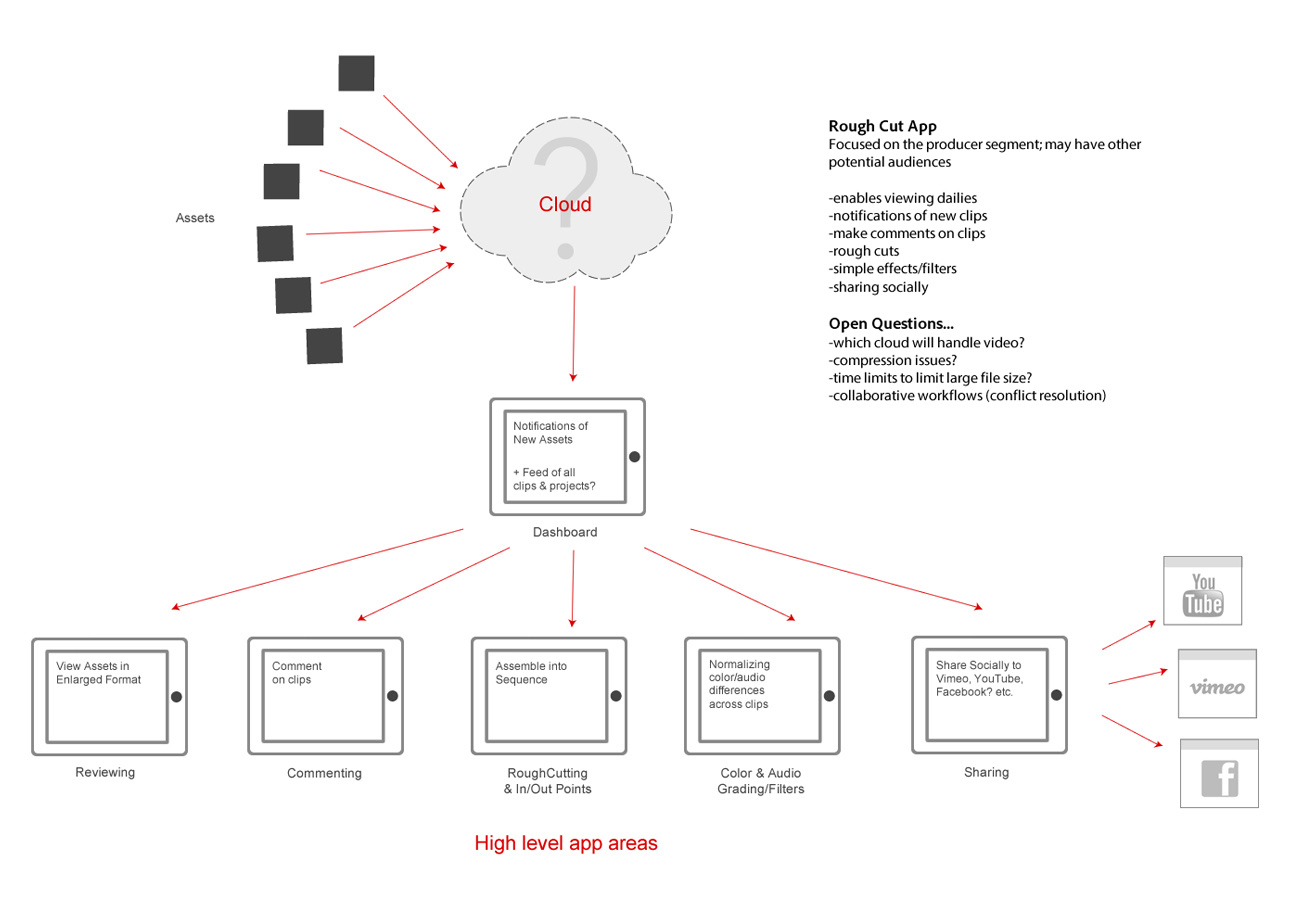
Adobe tablet app — early wireframe mapping cloud-synced assets into reviewing, commenting, rough-cutting, color, and sharing

The Concept

Shoot messy, share beautiful

Capture your footage — or pull in clips you already have — drop it all into the app, and it assembles a polished, social-ready video for you.

The Dashboard

A beautiful, visual way to browse your content

Quickly organize and browse all the clips and footage you've taken on your travels or outdoor adventures. Either select a folder or a series of clips to easily and quickly have Rough Cut create a new movie for you.

Adobe tablet app — the dashboard: browse source clips and Behance projects, with selected clips lined up in the right-hand rail
Adobe tablet app — searching Google, YouTube, and Vimeo for footage, with results ready to drop into the timeline

Search

Add footage from anywhere

Creating mashups is easy and fun — pull clips from the web, Behance, or your own library and the app stitches them together with almost no manual work.

Type

A type library at your fingertips

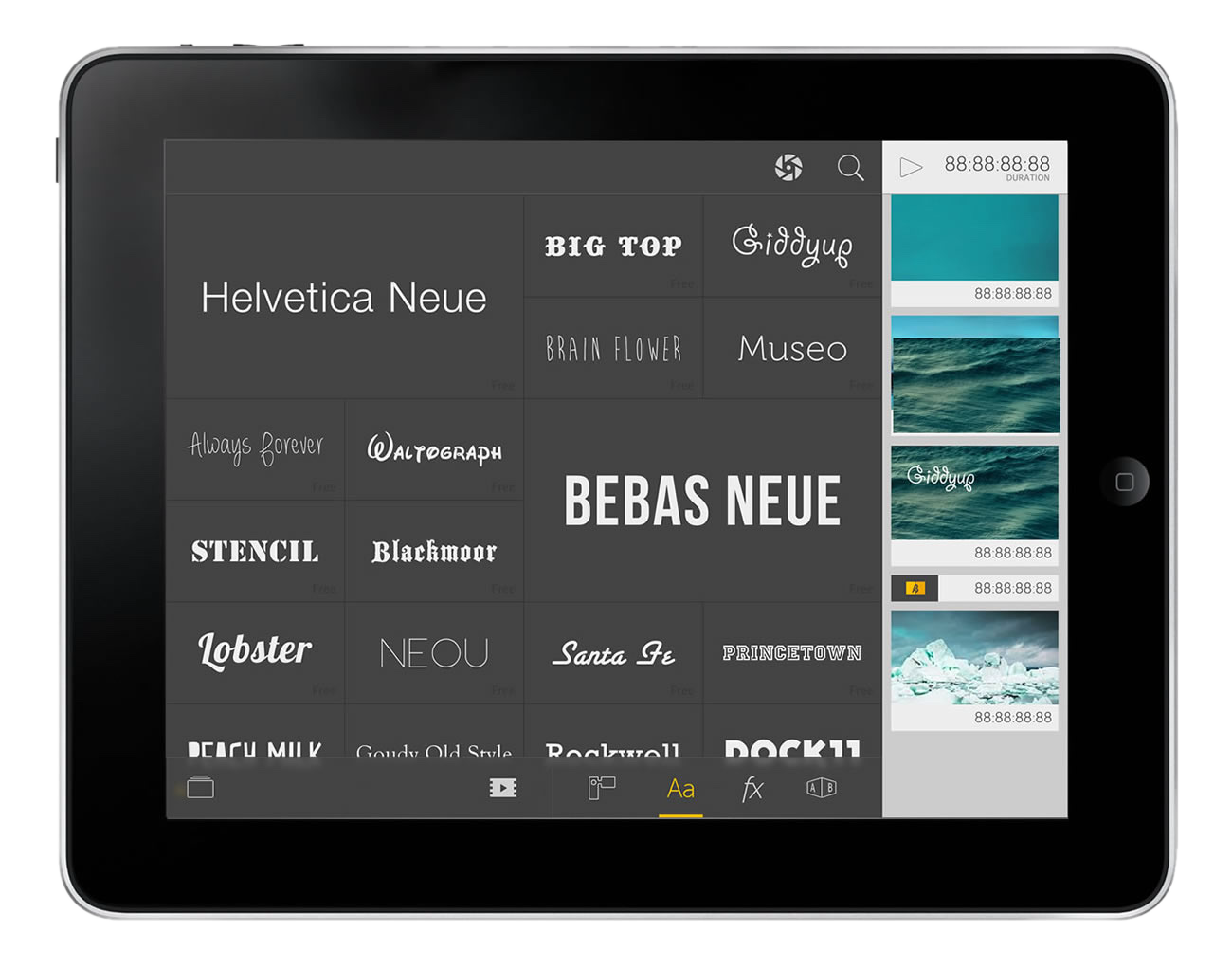
A deep shelf of typefaces you browse by touch — tap one to try it on the frame instantly, no menus to dig through. Choosing the right look feels less like software and more like flipping through a type book.

Adobe tablet app — the typeface picker: a tactile grid of fonts (Helvetica Neue, Bebas Neue, Lobster and more) you tap to apply to a clip
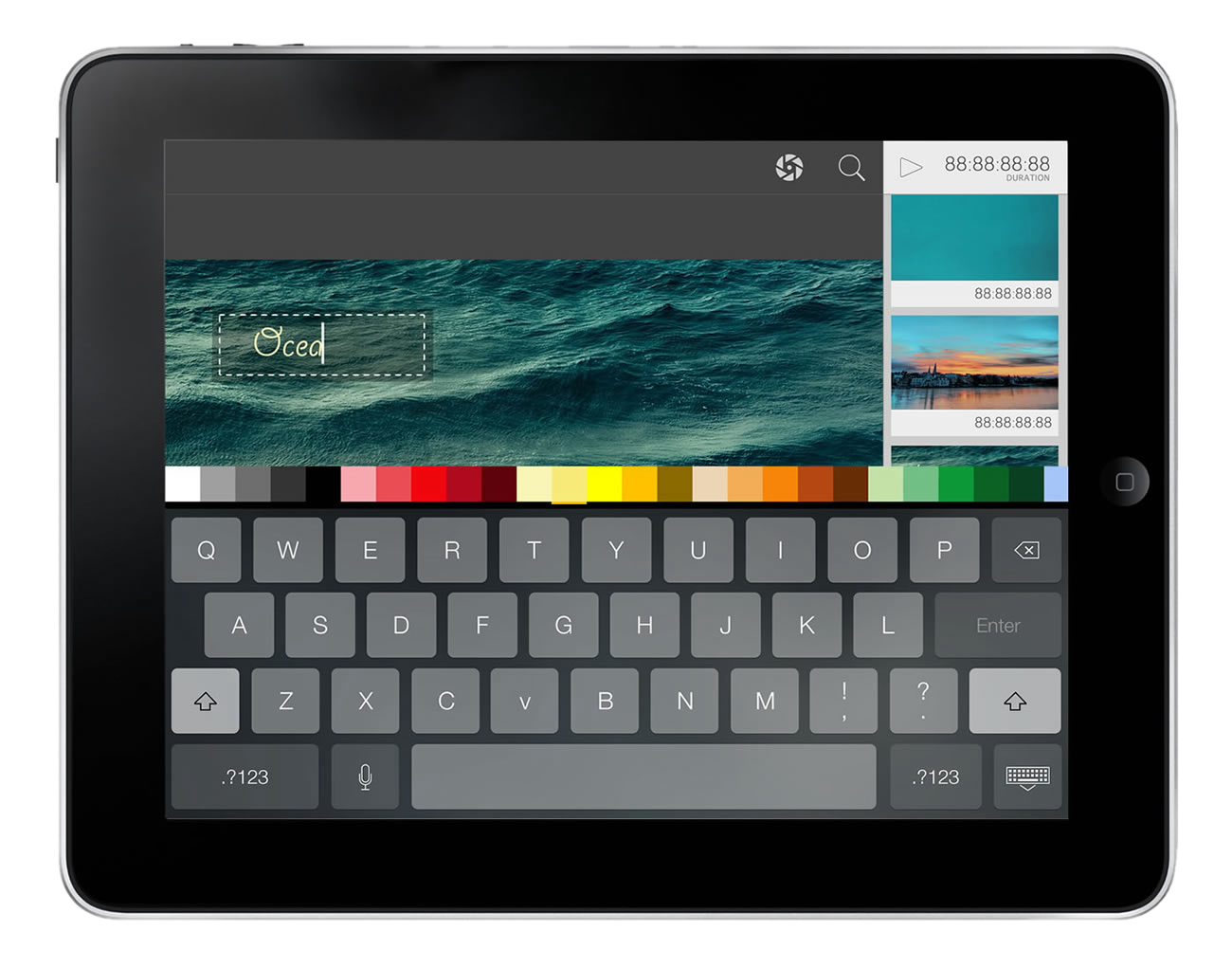
Adobe tablet app — placing a title on a video: type on the on-screen keyboard, pick a color from the palette, and drop the text onto the frame

Text & Effects

Drop it on, done

Text and effects go on with a tap and edit in seconds — type a title, pick a color, drag it onto the frame, and move on. With almost no technical skill required, it put Adobe's creative tools in the hands of everyday storytellers, not just professionals — opening a whole new amateur video market.

Next case study

Portfolio
Insights

Open case study →

Contact

Reach out
& let's
connect

I'm interested in an exciting new challenge. Let's do some amazing work together.